

Last updated October 19, 2026
If you’re the paralegal or legal assistant who handles your firm’s filings, you know a rejected eFiling rarely shows up at a convenient time. It lands an hour before the end of the day, or the week a deadline hits, and suddenly a routine filing needs to be fixed, re-uploaded, and resubmitted, often while an attorney is waiting to hear that it went through.
The cost goes beyond the few minutes it takes to refile. A rejection can push a filing past the date you planned for, eat into the time before a hearing, and pull you away from everything else on your plate, especially when you’re supporting more than one attorney. Near a deadline, there may not be room to refile at all.
It happens more often than you might think. According to One Legal and California court data, 8.5% of all submitted filings are rejected. The good news is that most rejections come from a familiar set of issues, and once you know what courts tend to send back, you can catch most of them before you submit.
What are the 5 most common reasons California eFilings get rejected?
Based on One Legal and California court data, the 5 most common reasons eFilings get rejected are:
- Missing or incorrect case information
- Incorrect filing code or document type
- Document formatting issues
- Incorrect court location
- Incorrect case category or type
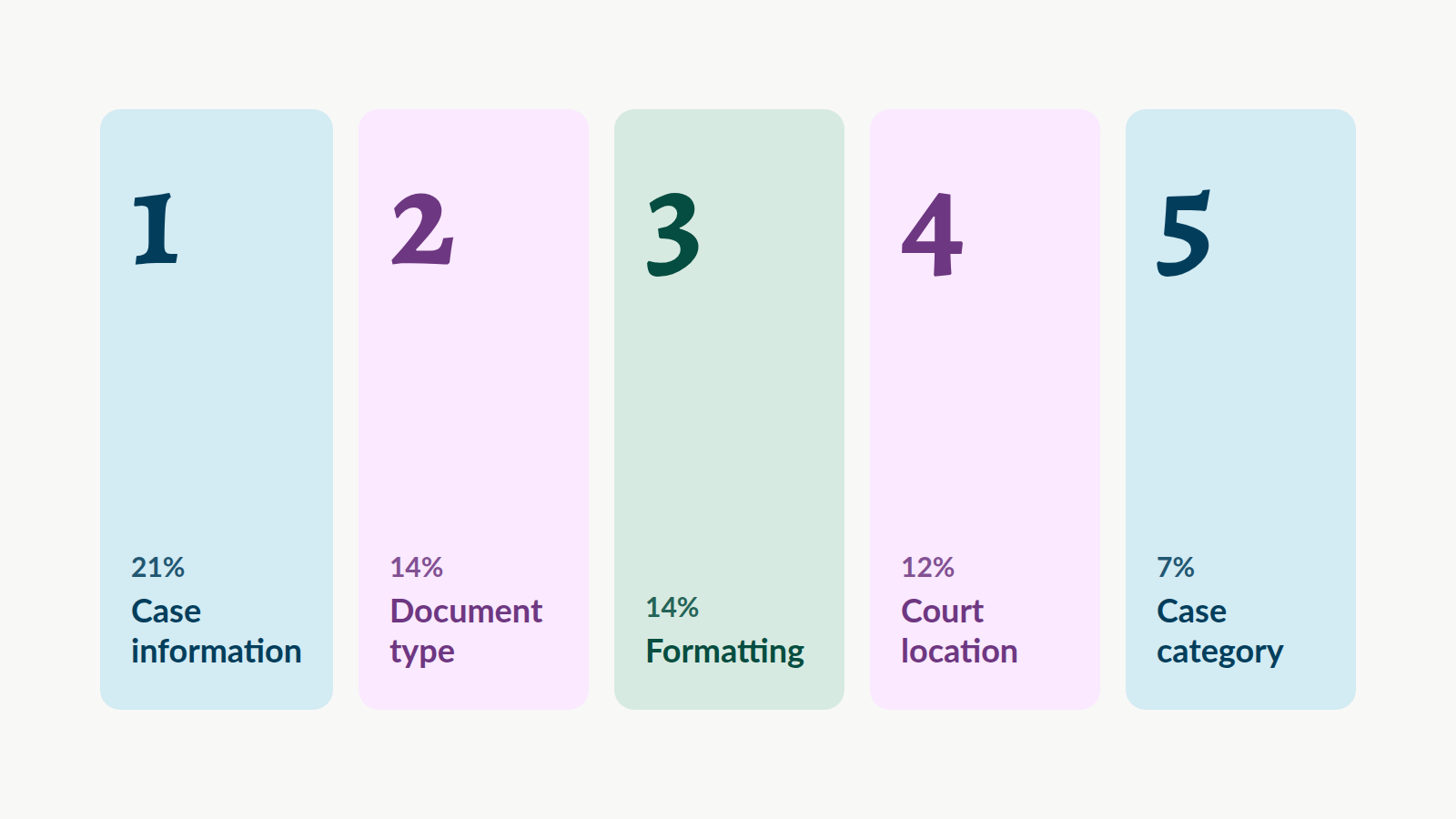
Together, these five account for more than two-thirds of all rejections. Missing documents (7%) and obsolete forms (5%) round out the list.
| Rejection reason | Share of rejections | How to avoid it |
| Missing or incorrect case information | 21% | Match the case number, party names, AKAs, and DBAs in the workflow to your documents |
| Incorrect filing code or document type | 14% | Choose the closest matching document type and check the filing fee on the Review screen |
| Document formatting issues | 14% | Separate or combine documents as the court requires, with text-searchable, bookmarked PDFs and consecutive page numbers |
| Incorrect court location | 12% | Confirm the courthouse you select matches the address on your documents |
| Incorrect case category or type | 7% | Match the case category to your initiating documents and, for civil cases, the Civil Case Cover Sheet |
1. Missing or incorrect case information
Missing or incorrect case information is the single most common reason California eFilings get rejected. A wrong case number, a misspelled party name, or a missing AKA or DBA can send a filing back, even when the document itself is perfect.
Courts compare what you enter in the eFiling workflow against what’s on your documents. If the case number, party names, or roles don’t match exactly, the clerk is likely to reject the filing rather than correct it.
How to avoid it: Before you submit, confirm that the case number, party names, AKAs, and DBAs entered in the workflow match your documents and are in the correct fields.
Expert tip from Diane Andreoli, Senior Client Success Manager: “Ensure all party information listed on your documents matches exactly the party information entered in the workflow.”
2. Incorrect filing code or document type
Choosing the wrong document type, which clerks call the filing code, is the second most common reason for rejection. Each document type has its own procedural requirements and filing fee, so the wrong selection can stop a filing even when everything else is correct.
The document types in the eFiling drop-down menu come directly from the court. If the exact type for your filing isn’t listed, choose the most similar general option, and check the court’s website or call the clerk’s office if you’re unsure.
How to avoid it: Choose the document type that most closely matches the content and purpose of your filing. Then check the filing fee on the Review screen before you submit.
Pro tip: If the estimated court filing fee on the Review screen is missing or differs from what you expect, go back and review your document-type selections before submitting.
3. Document formatting issues
Document formatting issues are tied for the second most common reason for rejection. Common problems include PDFs that aren’t text-searchable, missing bookmarks, page numbers that don’t match the PDF’s own page numbers, low-quality scans, fillable forms that weren’t flattened, and files over the court’s size limit.
California’s formatting requirements come from the California Rules of Court. Rules 2.100 through 2.119 cover document format, including margins, line spacing, and page numbering, and Rule 2.256 requires eFiled PDFs to be text-searchable.
Signatures matter here too. Rule 2.257 allows signature lines on eFiled documents to use “/s/” followed by the signer’s typed name where permitted, so you often don’t need to print a document just to sign it and scan it back in. For documents signed under penalty of perjury, confirm the declarant has signed in a manner the rule allows.
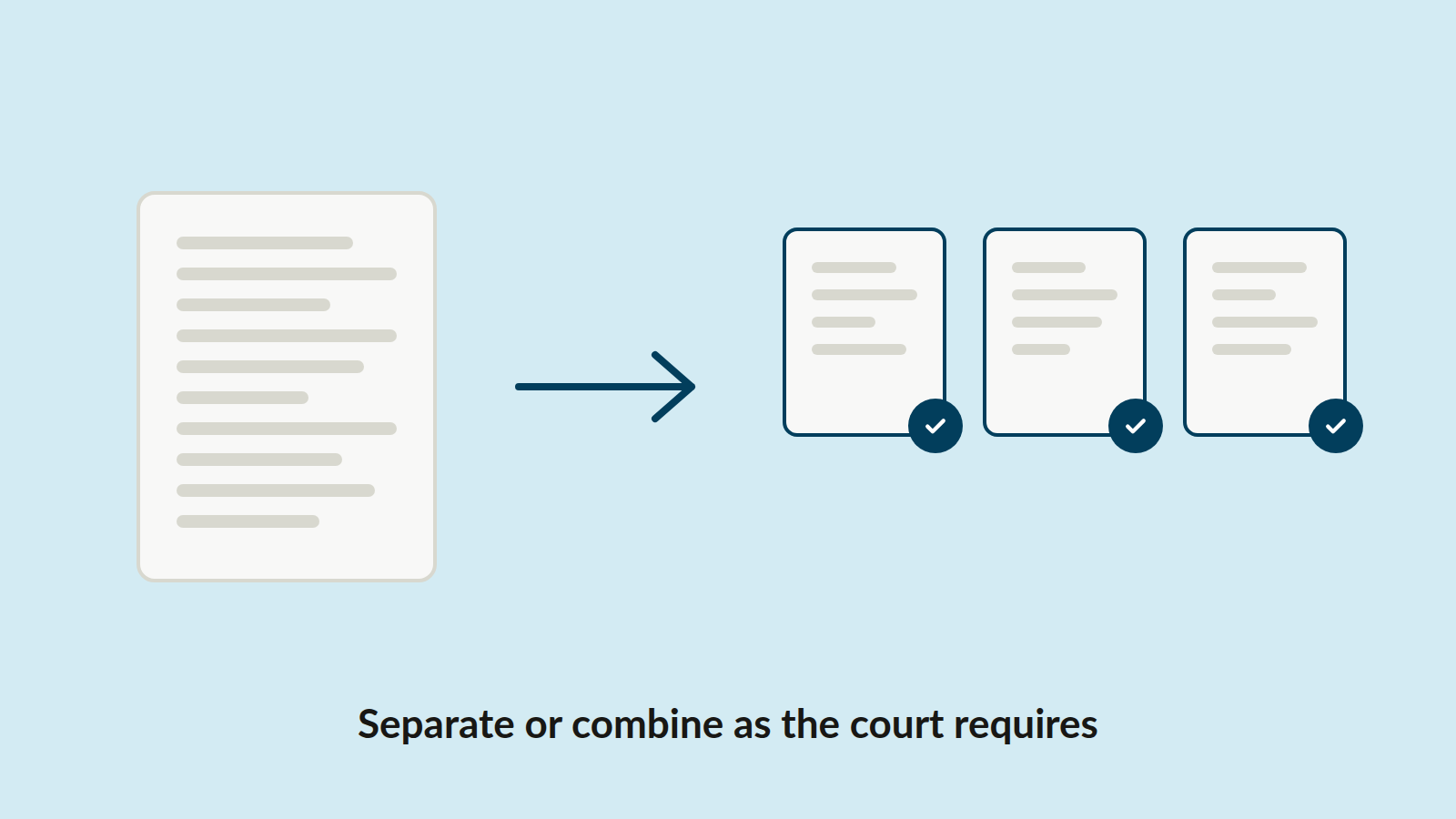
How to avoid it: Separate or combine documents according to the court’s filing requirements, and add electronic bookmarks to exhibits, linking to the first page of each with the exhibit number or letter and a short description. Make sure page numbers run consecutively and match the PDF’s page numbers, and check that scans are legible and meet the court’s resolution requirements (300 dpi is generally recommended). Flatten any fillable forms, remove comments and tracked changes, and confirm that each PDF and the total submission are within the court’s file size limits. If you file through One Legal, your uploads are converted to text-searchable PDFs automatically, but scan quality still matters.
Paralegal tip: Start with a PDF created directly from your word processor whenever you can. Text-based PDFs are cleaner, smaller, and more searchable than scans. For a deeper look at formatting rules, see our guide to California court document formatting.
4. Incorrect court location
Filing into the wrong courthouse is one of the fastest ways to get a filing rejected. Many California counties route certain case types to specific courthouses, and filing anywhere else can mean automatic rejection.
For example, Los Angeles County handles probate cases only at the Stanley Mosk Courthouse and the Michael D. Antonovich Antelope Valley Courthouse. Local rules and requirements also vary from court to court, so a filing that goes through without issue in the court you use every week can be rejected in one you rarely file in.
How to avoid it: Confirm the courthouse location before you submit, and review the court’s local rules when you’re filing somewhere unfamiliar. Around the holidays, plan for court closures and leave enough time to refile if something goes wrong.
Expert tip from Apryl Johnston, Client Success Manager: “Confirm that the location you’ve selected in the workflow matches the address on your documents.”
5. Incorrect case category or type
Selecting the wrong case category or case type is another common reason new filings come back. Each case type has its own procedural requirements, so a mismatch can lead to immediate rejection.
How to avoid it: For a new case, confirm that the case category and case type you select in the workflow match your initiating documents and, for civil cases, the Civil Case Cover Sheet.
Expert tip from Brooke Greene, Client Success Manager: “Review the selection on your Civil Case Coversheet to ensure it matches the case category you selected in the workflow.”
Two more to watch: missing documents and obsolete forms
Missing documents account for another 7% of rejections, and obsolete forms for 5%. Before you submit, use the preview to confirm every required document is uploaded and that the court, county, and case information are accurate. And check that any Judicial Council forms you’re using are the current versions.
Make the check a habit
Most of these issues take seconds to catch and much longer to fix after the fact. The easiest way to avoid them is to make the same quick check part of your pre-filing routine, especially when you’re filing somewhere new or working against a tight deadline.
To make that easier, we put all of these checks on a single page you can print, pin next to your monitor, or share with your team. It’s also a handy reference when you’re training a new paralegal or legal assistant.
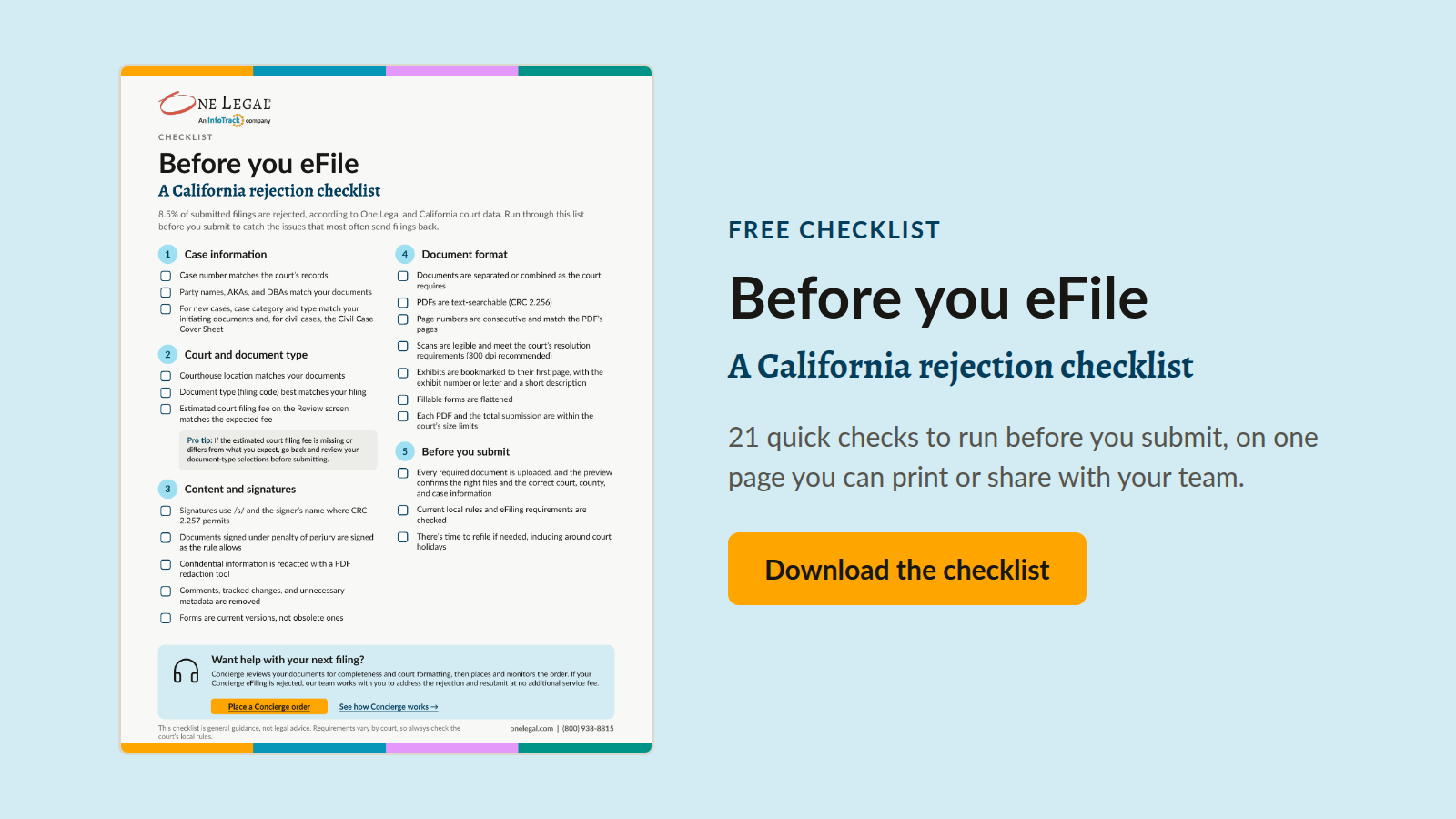
Download the eFiling rejection checklist →
Want the full guide? Our eBook, How to avoid eFiling rejections, covers each rejection reason in depth, with examples, screenshots, and more tips from our Client Success team.
When to hand it off
For most routine filings, a quick check is all you need, and eFiling on your own works well. But some filings carry more risk: a court you rarely file in, a deadline with no room for a rejection, or a request that involves filing, service, and delivery all at once. And some weeks there simply aren’t enough hours, like when you’re covering for a colleague, juggling several attorneys’ deadlines, or facing a stack of near-identical filings.
That’s where One Legal Concierge comes in. Think of it as an extra set of hands for your team. You tell us what you need and upload your documents, and a dedicated Concierge expert reviews them for completeness, legibility, and court formatting before submission. From there, we place the order in your One Legal account, monitor it through completion, and message you if anything needs your attention.
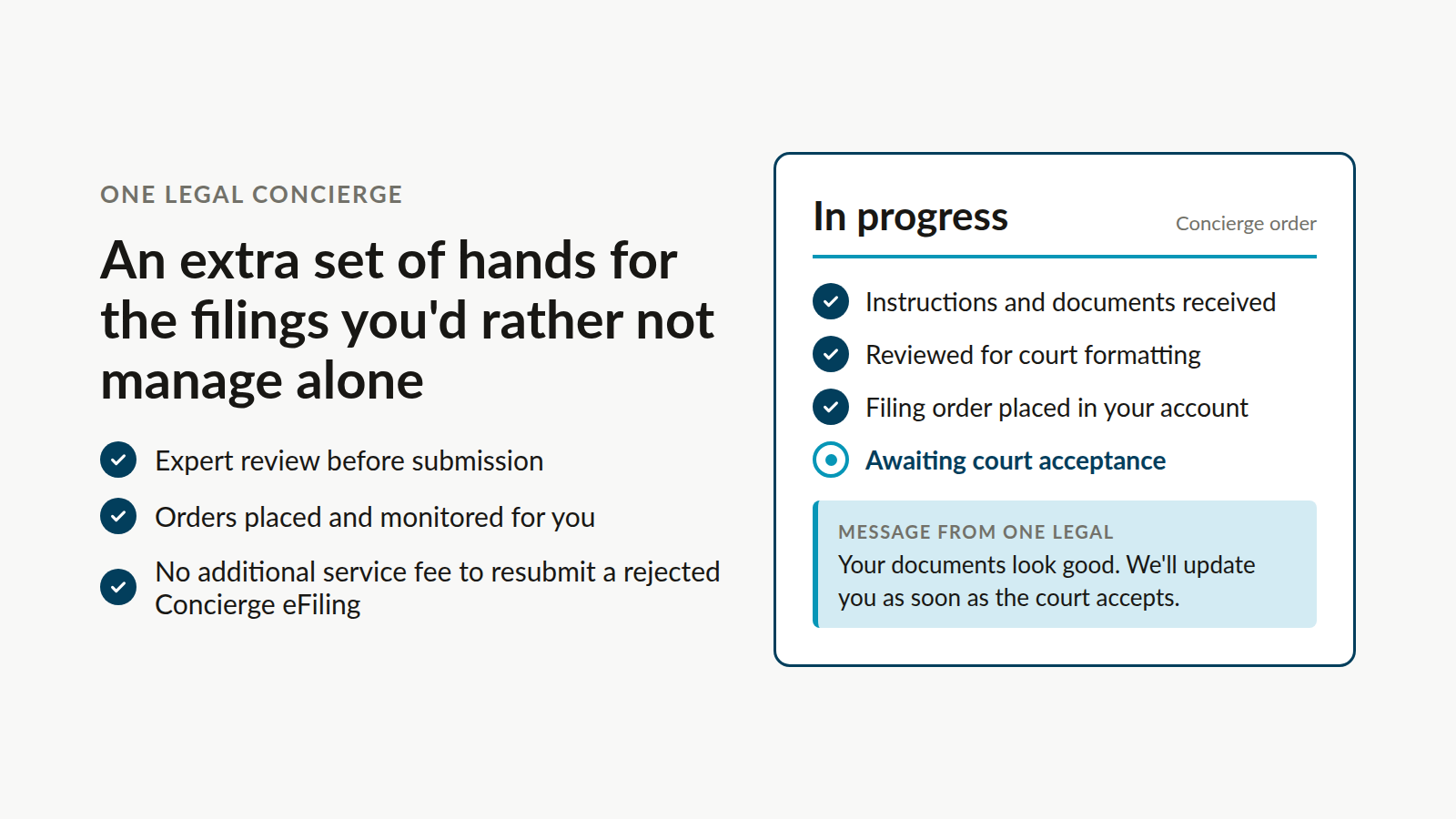
If your Concierge eFiling is rejected, our team works with you to address the rejection and resubmit at no additional service fee. Concierge starts at $75 per transaction, in addition to standard order fees.
Frequently asked questions
How can paralegals reduce eFiling rejections?
Build a quick pre-filing check into your routine. Confirm that the case information in the workflow matches your documents, choose the closest matching document type and check the filing fee on the Review screen, separate or combine documents as the court requires, and confirm the courthouse location and case category. For higher-risk filings, a service like One Legal Concierge can review your documents before they’re submitted.
What should I do after an eFiling is rejected?
Read the court’s rejection notice to see what needs to change, correct the documents, and refile. If the notice doesn’t explain the reason, contact the court you filed with. When a deadline is close, refile as soon as possible.
Can someone review my filing before I submit it?
Yes. With One Legal Concierge, a dedicated expert reviews your documents for completeness, legibility, and court formatting before submission, then places and monitors the order for you.
Do local rules differ between California courts?
Yes. Every California court follows statewide rules, but each also has its own local rules. Check them before filing in a court you don’t use often.
What’s the most common reason eFilings get rejected?
Missing or incorrect case information is the most common reason, accounting for 21% of rejections, according to One Legal and California court data. That includes wrong case numbers and party names, AKAs, or DBAs that don’t match the documents.
How often are eFilings rejected in California?
According to One Legal and California court data, 8.5% of all submitted filings are rejected. Most of those rejections come from a handful of avoidable issues, like mismatched case information, the wrong document type, and formatting problems.
How much does One Legal Concierge cost?
Concierge starts at $75 per transaction, in addition to standard order fees. If your Concierge eFiling is rejected, our team works with you to address the rejection and resubmit at no additional service fee.
Concierge specialists are not attorneys and can’t provide legal advice. Filing requirements vary by court, so always check the court’s local rules.